> For the complete documentation index, see [llms.txt](https://wiki.yami-ro.net/llms.txt). Markdown versions of documentation pages are available by appending `.md` to page URLs; this page is available as [Markdown](https://wiki.yami-ro.net/server-features/auto-combat.md).
# Auto Combat
Let your character fight on its own for a limited time each day, at half EXP and reduced drops.
**Auto Combat** lets your character hunt on its own: it finds monsters, attacks them with the skills you choose, heals, buffs, loots and teleports based on your settings.
To keep things fair for players who hunt by hand, Auto Combat has a **daily time limit**, gives **half EXP** and has a **drop rate penalty**.
## Opening Auto Combat
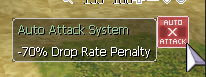
Press the **AUTO** button at the top right of your screen, or type **`@combat`**.
| Command | What it does |
| ------------- | --------------------------------------------------- |
| `@combat` | Opens the Auto Combat menu |
| `@combatinfo` | Shows how much Auto Combat time you have left today |
| `@combatend` | Stops Auto Combat |
Your settings are saved on your character, so you only set them up once.
## Daily time limit
| | Auto Combat time per day |
| ------ | ------------------------ |
| Normal | **2 hours** |
| VIP | **4 hours** |
* The time is shared by **all characters on your account**.
* It resets every day at **23:59** server time. Unused time does not carry over.
* You can earn extra Auto Combat time in the [Shrine System](/server-features/church-system.md): +1 minute (VIP +2) for every minute you sit at the altar.
## Penalties while Auto Combat is on
| | Effect |
| --------------- | -------------------------------------------------------------------------------- |
| EXP | **Half** EXP from monsters (weapon level EXP is halved too) |
| Drops | **−75%** drop rate, added to your other drop bonuses |
| Drop rate buffs | Opening the Auto Combat menu **removes** any item drop rate buff you have active |
## Where you can use it
Auto Combat is **not allowed** in:
* Prontera
* Guild War (WoE) maps
* Battlegrounds
* PvP maps (the Gold Room is allowed)
* any other map marked as no Auto Combat
## The menu
### Auto Combat
Lists the monsters on your current map. Tick the ones you want to fight, then choose **Start Auto Combat**.
* If you tick **none**, your character attacks **any** monster nearby.
* **Clear Selected** unticks them all.
* Your character looks for targets within **8 cells** and wanders the map when there are none.
### Attack Menu
* **Normal Attack**: turn normal attacks on or off.
* **Retaliate When Attacked**: fight back against anything that hits you.
* **Attack skills**: tick the skills to use and type the level to use them at.
### Support Buffs
* **Skill Buffs**: buffs your character casts on itself, with the level you choose.
* **Item Buffs**: buff items to use automatically.
### Item Loot
Choose one:
* **Disable Looting**
* **Loot Everything**
* **Loot Group 1 Only** / **Loot Group 2 Only**: only pick up the items on that list. Open a group to add items by **item ID** or remove them.
Your character walks over to items to pick them up.
### Miscellaneous
| Option | What it does |
| ------------------------------- | ---------------------------------------------------------------------------------------- |
| Use Teleport Skill | Use Teleport to move around |
| Use Fly Wing | Use Fly Wings to move around |
| Teleport from MVP | Teleport away when an MVP appears |
| Emergency Teleport HP Threshold | Teleport when your HP drops below this % (3–90) |
| Teleport No Mob Delay | Teleport if no monster is found for this many seconds (up to 120) |
| Teleport when surrounded | Teleport when this many monsters or more are around you (2–20) |
| When AC Ends | What happens when Auto Combat stops: **Do Nothing**, **Warp to SavePoint** or **Logout** |
### Regeneration
* **Heal**, **Aid Potion**: use them below the HP % you set.
* **Indulge**: use it below the SP % you set.
* **HP Potions** / **SP Potions**: pick potions and the HP or SP % to drink them at.
* **Sit to Regen HP / SP**: sit down below this % (5–75) and get up again at 80%.
## When Auto Combat stops
Auto Combat stops on its own when:
| Reason | Message |
| --------------------------------- | -------------------------------------------------- |
| Your time for the day runs out | Auto Combat has expired. |
| You reach **90% weight** | You are 90% weight, Auto Combat ended. |
| You are **warped** to another map | You were warped. Auto Combat ended. |
| You run out of **ammunition** | You have ran out of ammunition. Auto Combat ended. |
| You **die** | You have died. Auto Combat ended. |
Except when you die, your **When AC Ends** setting then applies (stay, warp to your save point, or log out).
{% hint style="info" %}
Skills used by Auto Combat have a short extra delay, so it attacks a little slower than a player using the same skills by hand.
{% endhint %}
---
# Agent Instructions
This documentation is published with GitBook. GitBook is the documentation platform designed so that both humans and AI agents can read, navigate, and reason over technical content effectively. Learn more at gitbook.com.
## Querying This Documentation
If you need additional information that is not directly available in this page, you can query the documentation by asking a question.
Perform an HTTP GET request on the following URL with the `ask` and `goal` query parameters:
```
GET https://wiki.yami-ro.net/server-features/auto-combat.md?ask=&goal=
```
`ask` is the immediate question: it should be specific, self-contained, and written in natural language.
`goal` is what the user is ultimately trying to achieve, the reason they need the answer. Sharing it helps GitBook give you a better, more relevant answer. A goal is most helpful when it describes the outcome the user wants rather than restating the question. For example, with `ask=how do I create an API token`, a goal like `automate deployments from our CI pipeline` lets GitBook tailor the answer to that use case.
The response will contain a direct answer to the question and relevant excerpts and sources from the documentation.
Use this mechanism when the answer is not explicitly present in the current page, you need clarification or additional context, or you want to retrieve related documentation sections.